English
 Russian
17.04.2024
Reset Windows Password v14.2
Telegram data recovery, Photo Database and Media Player investigation tools, and some more
20.02.2024
Reset Windows Password v14.1
IP addresses history viewer, fast disk search, local security editor and some more
Reset Windows Password v14.1
IP addresses history viewer, fast disk search, local security editor and some more

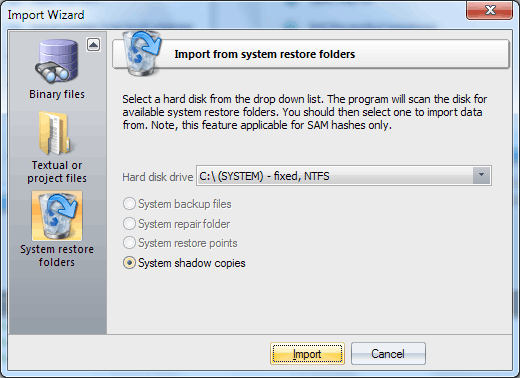
Windows Password Recovery - importing hashes from system restore folders
Yet another, not a less helpful option is importing hashes from the system restore folders. All you would need for that is to specify the path to one of the disks. The program will automatically find the recovery folders and, if it finds the necessary files, import the hashes. Be careful though, the registry backups may contain obsolete data! |