English
 Russian
17.04.2024
Reset Windows Password v14.2
Telegram data recovery, Photo Database and Media Player investigation tools, and some more
20.02.2024
Reset Windows Password v14.1
IP addresses history viewer, fast disk search, local security editor and some more
Reset Windows Password v14.1
IP addresses history viewer, fast disk search, local security editor and some more

Windows CardSpace - selecting the data source
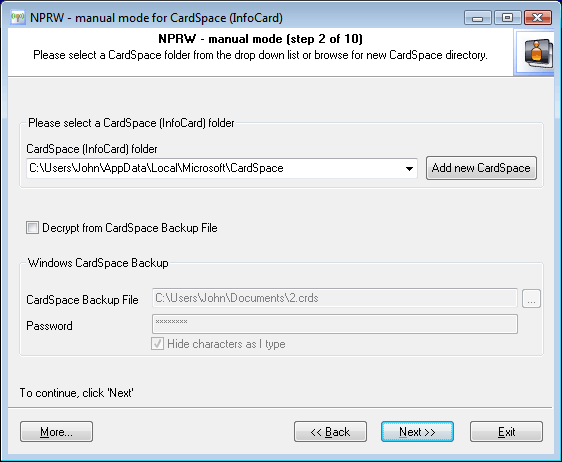
Selecting data source - CardSpace vs CardSpace BackupIn the beginning, the application's Wizard scans the system and prompts you to select one of the available CardSpace storages. The default choice is the current user's CardSpace. If the sought CardSpace storage is not found on the drop-down list, you can set the path to its folder manually (by clicking on the 'Add New CardSpace' button). Please note that all operations with CardSpace assume you are having Administrator privileges.
Another, an alternate source of InfoCards is CardSpace Backup File. Normally that's a file with the .CRDS extension (if the user hasn't set different). Please note that in order to decrypt CardSpace Backup File, you will have to know its password. Windows Vista sets the minimum password length for CRDS as 8 characters. |