English
 Russian
17.04.2024
Reset Windows Password v14.2
Telegram data recovery, Photo Database and Media Player investigation tools, and some more
20.02.2024
Reset Windows Password v14.1
IP addresses history viewer, fast disk search, local security editor and some more
Reset Windows Password v14.1
IP addresses history viewer, fast disk search, local security editor and some more

Reset Windows Password: SYSKEY reset
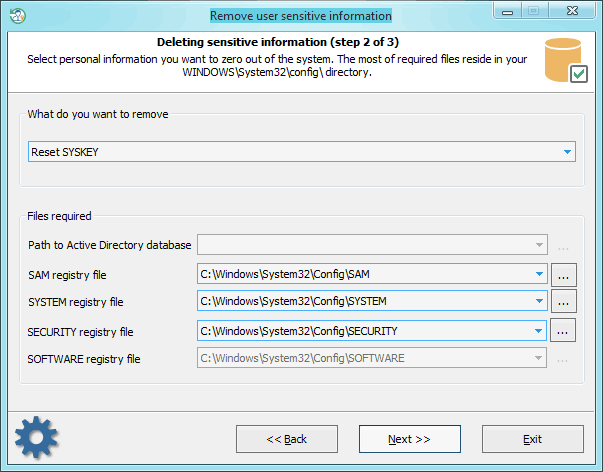
Selecting data source
First, you need to point to 3 registry hives: SAM, SYSTEM, and SECURITY. Usually, SYSKEY resides in your SYSTEM registry under HKLM\CurrentControlSet\Control\Lsa key. But once you set your SYSKEY for example to require a boot startup password and forgot it, there's no chance to boot up your system. Needless to say that SYSKEY is an extremely effective tool in the hands of a master. Setting your SYSKEY option to require a startup password or boot diskette is very effective against ANY(!) Windows password breaker. In that case, a password extractor program cannot decrypt your password hashes even if it gets a full access to your system.
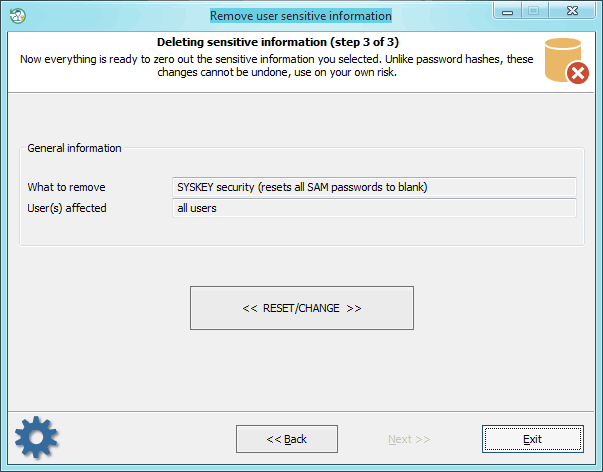
Resetting SYSKEY
After resetting SYSKEY on a Windows 8 machine, you should change the password for every LiveID account to a non-empty one. Otherwise, you will not be able to logon the system with the empty password.
|