Windows Password Recovery - reading hashes from local PC
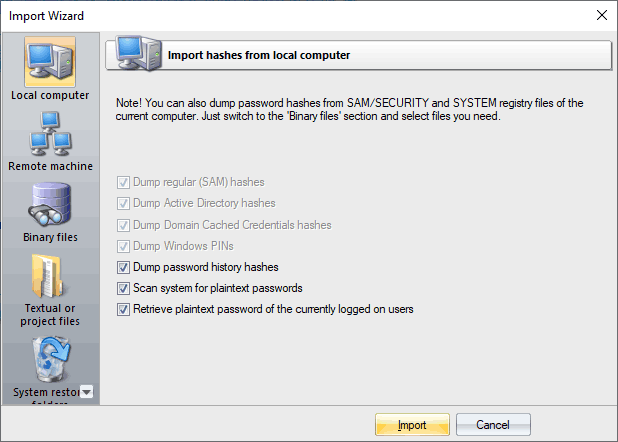
Import hashes from the local computer - the most preferable method, as it implies the deepest overall analysis of the system and the passwords. Besides that, the hashes that are imported from the local computer can undergo a sophisticated Intelligent attack, which allows to relatively quickly recover the passwords to some accounts.
Importing local hashes runs well regardless of where the hashes are localized: in SAM, SECURITY, or in Active Directory. This item has three additional options: dumping password history hashes, searching for plain-text passwords that are stored in the system and instant decrypting currently logged on users. The process of scanning for plain-text passwords is divided into 4 steps and consists of the actual searching for the passwords that are stored in the system using the reverse encryption, searching for the text passwords for the system accounts, searching for start-up passwords and an extra step, when the program analyzes some of the uncovered accounts, passwords to which can also be recovered from the system (for example, for the HomeGroupUser$ account in Windows 7).
If disabling the last 2 options is not desired, as it allows to relatively painlessly and quickly recovers the complete passwords to some accounts, the password history dump is completely opposite - disabling it is often very useful. For example, when the number of passwords to be imported exceeds hundreds of thousands or even millions. On the other hand, the program has the power of artificial intelligence, so if during an attack it finds one of the history passwords, it will take every effort to recover the remaining passwords by analyzing the user's preferences for the recovered password.
One of the latest versions of the program can also dump user history hashes from the DPAPI CREDHIST file. So setting the history option is recommended too now.
The local import functionality requires administrative privileges.
 English
 Russian
