Close

http://www.passcape.com

Password Recovery Software

The best programs to recover lost and forgotten passwords
Control panel
Home > Products > Password recovery for popular browsers > Opera Password Recovery > Master Password recovery screenshots > Selecting Opera Master Password location
Selecting Opera Master Password location
19.01.2012
Windows Password Recovery v4.0.6
The program's major update with a set of brand-new features
30.12.2011
Reset Windows Password
Hebrew translation were added
01.12.2011
Reset Windows Password v1.4.7
General update of Reset Windows Password.
26.10.2011
Windows Password Recovery v3.3.1
Online recovery, rainbow table generator, new mutation ...

Articles and video

You may find it helpful to read our articles on Windows security and password recovery examples. Video section contains a number of movies about our programs in action

Opera Master Password Recovery Screenshots:
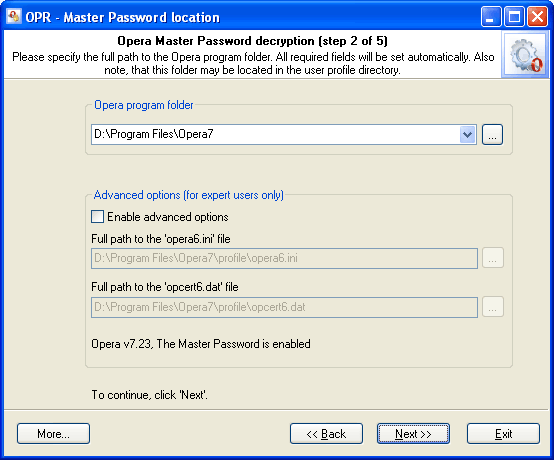
selecting Master Password location

Select the folder where Opera stores its Master Password. Normally, the program does that automatically and allows you to select the folder manually if you have two or more versions of this popular browser installed on your computer. You can also do that by hand by entering path to two files: opera6.ini and opcert6.dat. Both of them are stored in Opera's profile. See the figure with the example.

Selecting Opera Master Password location


Print   E-mail