Reset Windows Password: load HDD/SSD drivers
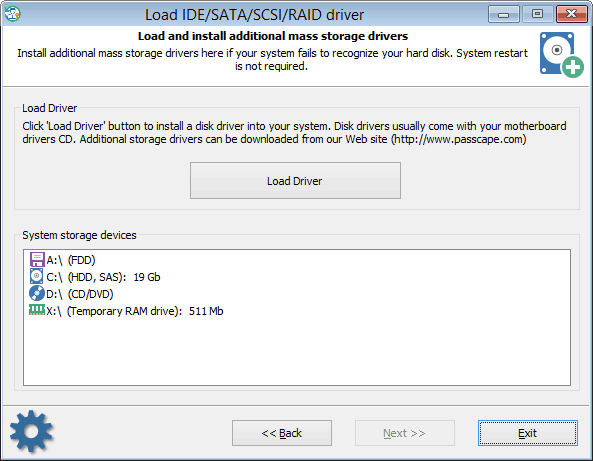
If when the application started it was unable to detect one or several hard disk drives, you will most likely need to install a driver for that device. In the main window, on the task list, select 'Load IDE/SATA/SCSI/RAID/NVME driver' and go to the driver installation dialog. The software comes with several popular hard drive controller drivers: ATI, Highpoint, Intel, Jmicron, Marvell, Nvidia, Silicon Image, Sis, Uli, Via, Vmware.
They all are stored in the folder X:\Apps\Drivers. For example, if your HDD controller is built upon the Nvidia chipset, load the corresponding *.INF file from the folder X:\Apps\Drivers\Nvidia.
Normally when you buy a new PC you get loaded with a CD with the motherboard and hard disk drivers. You can, and even are highly encouraged to use that disk for installing drivers for the missing devices. Please refer to the manual on your motherboard for more information on installing the drivers.
In Reset Windows Password drivers are installed 'on the fly'; therefore, rebooting the system is not required. Upon completion, the found devices should appear on the list of data storage devices. Once the required driver is installed and the hard disk drive is found, you can go on with the next steps.
Be careful, you will need Windows 11 x64 compatible drivers!
 English
 Russian
